Product details
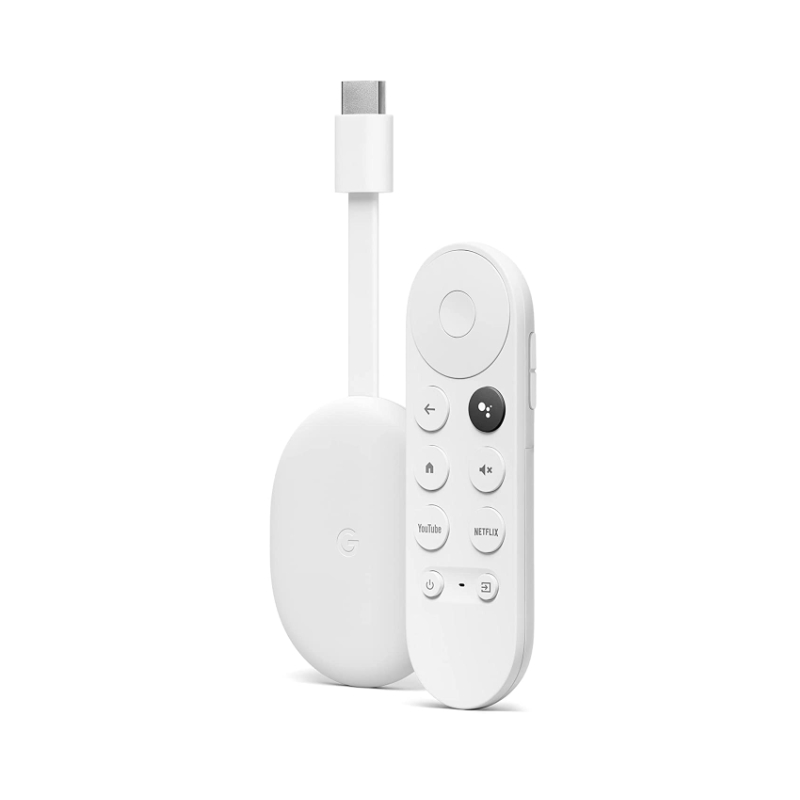
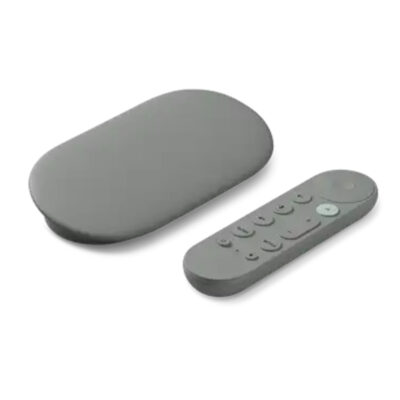
Chromecast with Google TV HD features
- Featured Streaming Services: YouTube TV, Netflix, Prime Video, Apple TV+
- Resolution: 1080p
- Connectivity: Bluetooth
- Operating System: Android TV
- Remote Control Included: Yes
- Storage Capacity: 8 gigabytes
- Power Source: Battery-powered
- Works With: Google Assistant, Nest
Chromecast with Google TV HD
Chromecast with Google TV HD price in Kenya is Ksh 9,500. Chromecast with Google TV (HD) brings you the entertainment you love, including live TV,₁ in up to 1080p HDR. Get personal recommendations based on your subscriptions, viewing history, and content your own—all in one place. You don’t have to switch between apps anymore to decide what to watch. You can also use the remote to search with your voice. Easily control it with the Chromecast app. Watch content on Netflix, Amazon Prime Video, Disney+, YouTube, Apple TV, Peacock, HBO Max, and many other platforms.
Google Chromecast with Google TV Key Features
- Loads of entertainment. Explore over 400,000 movies and TV episodes, and millions of songs.
- No jumping. Just watching. Your home screen consolidates movies and TV shows from all your services. No more switching between apps to decide what to watch.
- Recommendations are just for you. Get personal suggestions based on your subscriptions, viewing habits, and content that you own.
- Use your voice. Press the Google Assistant button on the remote to talk to Google. Ask to find shows, or search by mood, genre, or actor. Play music and get answers.
- Family-friendly. Create a children’s profile to access fun movies and shows for the family. Set parental content controls to limit watching time and set a bedtime.
- Turn up the volume. To fill your home with sound, pair your Chromecast with Nest speakers or displays. Then control them by using the app or just your voice.
See more Media streaming devices.
There are no reviews yet.